We specialise in tuning Java EE servers: Oracle WebLogic and IBM WebSphere.

Log in WebMail Jobs

Oracle WebLogic · IBM WebSphere training

Practitioner-led workshops on real environments. Agenda tailored to your infrastructure.

No upfront payment. We confirm the date within one business day, then send a pro forma invoice.

21 courses in the catalogue
2–5 days agenda tailored to your environment
24 h decision on a date
B2B closed corporate training
Training scope
Administration & operationsTopology, configuration, lifecycle, deployment, change standards
Security & complianceSSL, realm / LDAP, hardening, audit, least privilege
Performance & tuningDiagnostics, GC, thread/heap dump, JDBC, profiling
HA / DR & clusteringClusters, failover, replication, recovery, runbooks
CI/CD & automationPipeline, IaC, GitOps, safe deployment
Troubleshooting L2/L3Log analysis, root cause, incident scenarios
01 / Why FlexNet

Led by a practitioner from the console, not a presenter with slides

Every course is led by an engineer who works on enterprise clients' production environments that same week. We don't cover textbook theory — we show configuration, logs, failures, rollback and post-deployment change validation.

  • 60%Hands-on work on a prepared Linux environment, not a slideshow.
  • L2/L3Program built for operational roles, application support and deployment teams.
  • RealFailure scenarios, root-cause diagnostics and maintenance procedures.
  • OutcomeFewer escalations, faster diagnostics and a more self-sufficient team.
Lead trainer

Krzysztof Sarna

Middleware engineer · WebLogic / WebSphere

Experience20+ years
Environmentsenterprise, production
CertificationsOracle · IBM
Materialsproprietary, PL
Trainer profile →
02 / Tracks

Two platforms, one workshop standard

Full course catalog
03 / Planner

Twenty-one courses, one for your team

Platform, release and the goal of the workshop — three answers point at a specific catalogue course and its price. The catalogue below stays for reading the syllabus.

01 Which application server?
02 Which release do you run?
03 What should the team be able to do afterwards?
04 / Course catalogue

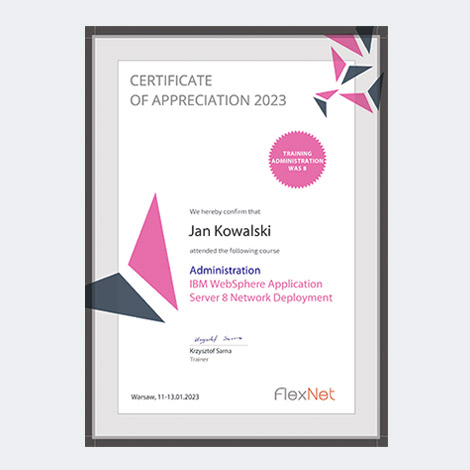
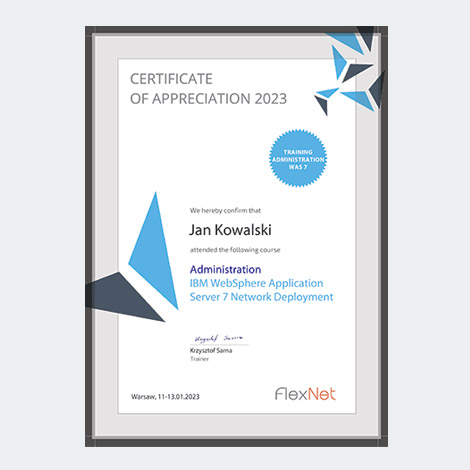
Course materials + completion certificate

Every participant receives a printed workbook (A4, ~150–300 pages) and a named completion certificate. All tracks available online, onsite or hybrid.
CURRENT · 14c

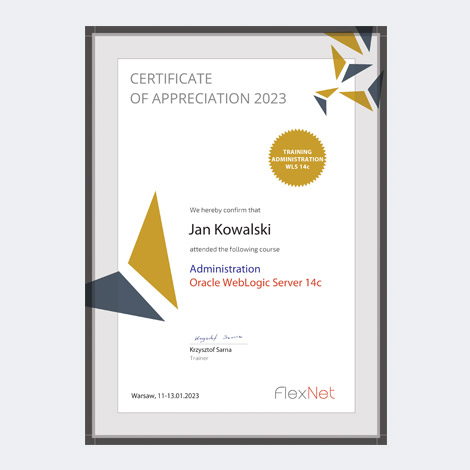
Oracle WebLogic Server 14c

Certificate WLS 14cCertificate WLS 14c
WLS 14c — Administration

Administration

3 days · 24 h
6 730 PLN
Program & details

Install, configure, manage and secure an Oracle WebLogic Server 14c environment — from a single server to a cluster. 40% lecture, 60% hands-on on a prepared Linux environment.

Course program
  • 1. Architecture — WebLogic editions (SE, EE, Suite) and version comparison; Java EE (multi-tier, application schema); JDBC, JNDI, JMS (Queue, Topic), JTA, EJB (Session / Entity / Message Driven Beans); role of application servers; single- and multi-server architecture.
  • 2. Installation — pre-install steps (supported platforms, requirements, target architecture, OS configuration); JDK installation; WLS 14c installation (Graphical and Silent Mode).
  • 3. Domain creation — domain types; installation (Graphical Mode, WLST); verification (Admin / Managed Server); post-install configuration (structure, boot.properties, archiving, Derby); domain templates.
  • 4. Managing servers — Admin Server (start/stop, boot.properties, admin port); Node Manager (role, properties, monitoring, WLST); managed servers (start/stop, states, arguments, Class Path).
  • 5. JDBC configuration — gathering requirements (transactionality, database parameters, firewall, traffic); Data Source; JDBC drivers; Connection Pool; Multi Data Source.
  • 6. JMS configuration — JMS Store, JMS Server, JMS Module, Connection Factory, JMS Bridge; WebLogic JMS tuning.
  • 7. Application deployment — multi-tier applications; archive types (JAR, WAR, EJB, EAR); tools (Admin Console, weblogic.Deployer, WLST, wldeploy Ant); deployment descriptor; location (Stage / Nostage / External stage).
  • 8. Logging configuration — server, domain, Node Manager and application logs; reading logs; Thread Dump; error analysis and diagnostic tools.
  • 9. Realm configuration — authentication; authorization; Security Providers; WLS users and groups.
  • 10. Securing WebLogic — SSL and certificates; self-signed certificate (identity / trust keystore); WLS SSL configuration; attack mitigation (DOS, buffer overflow, incomplete messages, password protection).
  • 11. High availability and scalability — cluster features (HA, scalability, load balancing, failover); WebLogic clustering (communication, JNDI, EJB balancing, reliability); diagnosing performance drops.
Requirements

A computer with 4 GB RAM / 10 GB disk (Windows, macOS or Linux). Basic application-server terminology and terminal skills are a plus.

Included

Live online with a practitioner trainer (Krzysztof Sarna), original training materials, a printed handbook and a personal FlexNet certificate.

Book now →
WLS 14c — Administration JMS

Administration JMS

3 days · 24 h
4 740 PLN
Program & details

Configuring and programming Java Message Service in Oracle WebLogic Server 14c — queues, topics, transactions, integrations. Hands-on on a prepared environment.

Course program
  • 1. Introduction to JMS — what JMS is and its main benefits; JMS concepts and terminology.
  • 2. JMS configuration in Oracle WebLogic Server — configuring JMS services; creating and managing queues (Queue) and topics (Topic).
  • 3. Programming JMS applications — writing applications that use JMS; sending and receiving messages; transactions and acknowledgements.
  • 4. Managing JMS queues and topics — scalability and performance; monitoring and diagnostics of JMS services.
  • 5. Integration with other technologies — Java EE, SOA and others; using JMS services from outside WebLogic.
  • 6. Best practices and design patterns — best practices and design patterns; avoiding common mistakes.
Requirements

A computer with 4 GB RAM / 10 GB disk (Windows, macOS or Linux). Basic application-server terminology and terminal skills are a plus.

Included

Live online with a practitioner trainer (Krzysztof Sarna), original training materials, a printed handbook and a personal FlexNet certificate.

Book now →
WLS 14c — Diagnostyka

Diagnostics and troubleshooting

3 days · 24 h
4 740 PLN
Program & details

Diagnostics and troubleshooting of an Oracle WebLogic Server 14c environment — from WLDF and JVM to clusters, JDBC and security. Hands-on on real failure scenarios.

Course program
  • 1. WebLogic Server Diagnostic Framework — intro to WLDF; WLDF components; monitoring and collecting diagnostic data; data analysis.
  • 2. Diagnostic instruments — tools built into WebLogic Server; external diagnostic tools; analysis and interpretation of data.
  • 3. JVM troubleshooting — JVM performance diagnostics; memory management; dump and stack-trace analysis.
  • 4. Server troubleshooting — problem identification; server log analysis; service recovery.
  • 5. Application troubleshooting — deployment problems; application performance; application components.
  • 6. JDBC troubleshooting — JDBC connections; connection pool; performance optimization.
  • 7. Node Manager troubleshooting — problem identification; Node Manager communication; service recovery.
  • 8. Cluster troubleshooting — cluster configuration; load balancing; monitoring.
  • 9. Security troubleshooting — authentication and authorization; SSL certificates; security policies.
Requirements

A computer with 4 GB RAM / 10 GB disk (Windows, macOS or Linux). Basic application-server terminology and terminal skills are a plus.

Included

Live online with a practitioner trainer (Krzysztof Sarna), original training materials, a printed handbook and a personal FlexNet certificate.

Book now →
WLS 14c — Tuning

Monitoring and tuning

3 days · 24 h
4 740 PLN
Program & details

Performance monitoring and tuning of Oracle WebLogic Server 14c — bottleneck investigation methodology, OS, HotSpot JVM, JDBC and cluster tuning.

Course program
  • 1. Performance investigation methodology — bottlenecks: CPU, I/O, disk, network and database load.
  • 2. Operating-system resource tuning — metrics for CPU, I/O, memory and network; OS monitoring tools; performance-improving parameters.
  • 3. HotSpot JVM tuning — HotSpot JVM monitoring tools; Java Garbage Collection; Command-Line; GUI.
  • 4. Server performance monitoring and tuning
  • 5. JDBC performance tuning
  • 6. Work Managers configuration
  • 7. Java EE application tuning
  • 8. Cluster performance monitoring and tuning
Requirements

A computer with 4 GB RAM / 10 GB disk (Windows, macOS or Linux). Basic application-server terminology and terminal skills are a plus.

Included

Live online with a practitioner trainer (Krzysztof Sarna), original training materials, a printed handbook and a personal FlexNet certificate.
Book now →
LTS · 12c

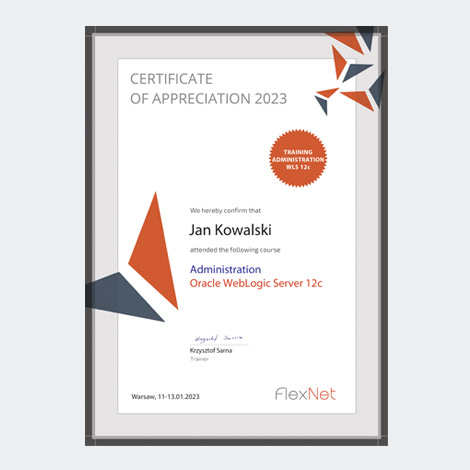
Oracle WebLogic Server 12c

Certificate WLS 12cCertificate WLS 12c
WLS 12c — Administration

Administration

3 days · 24 h
5 740 PLN
Program & details

Install, configure, manage and secure an Oracle WebLogic Server 12c environment — from a single server to a cluster. 40% lecture, 60% hands-on on a prepared Linux environment.

Course program
  • 1. Architecture — WebLogic editions (SE, EE, Suite) and version comparison; Java EE (multi-tier, application schema); JDBC, JNDI, JMS (Queue, Topic), JTA, EJB (Session / Entity / Message Driven Beans); role of application servers; single- and multi-server architecture.
  • 2. Installation — pre-install steps (supported platforms, requirements, target architecture, OS configuration); JDK installation; WLS 12c installation (Graphical and Silent Mode).
  • 3. Domain creation — domain types; installation (Graphical Mode, WLST); verification (Admin / Managed Server); post-install configuration (structure, boot.properties, archiving, Derby); domain templates.
  • 4. Managing servers — Admin Server (start/stop, boot.properties, admin port); Node Manager (role, properties, monitoring, WLST); managed servers (start/stop, states, arguments, Class Path).
  • 5. JDBC configuration — gathering requirements (transactionality, database parameters, firewall, traffic); Data Source; JDBC drivers; Connection Pool; Multi Data Source.
  • 6. JMS configuration — JMS Store, JMS Server, JMS Module, Connection Factory, JMS Bridge; WebLogic JMS tuning.
  • 7. Application deployment — multi-tier applications; archive types (JAR, WAR, EJB, EAR); tools (Admin Console, weblogic.Deployer, WLST, wldeploy Ant); deployment descriptor; location (Stage / Nostage / External stage).
  • 8. Logging configuration — server, domain, Node Manager and application logs; reading logs; Thread Dump; error analysis and diagnostic tools.
  • 9. Realm configuration — authentication; authorization; Security Providers; WLS users and groups.
  • 10. Securing WebLogic — SSL and certificates; self-signed certificate (identity / trust keystore); WLS SSL configuration; attack mitigation (DOS, buffer overflow, incomplete messages, password protection).
  • 11. High availability and scalability — cluster features (HA, scalability, load balancing, failover); WebLogic clustering (communication, JNDI, EJB balancing, reliability); diagnosing performance drops.
Requirements

A computer with 4 GB RAM / 10 GB disk (Windows, macOS or Linux). Basic application-server terminology and terminal skills are a plus.

Included

Live online with a practitioner trainer (Krzysztof Sarna), original training materials, a printed handbook and a personal FlexNet certificate.

Book now →
WLS 12c — Administration JMS

Administration JMS

3 days · 24 h
4 740 PLN
Program & details

Configuring and programming Java Message Service in Oracle WebLogic Server 12c — queues, topics, transactions, integrations. Hands-on on a prepared environment.

Course program
  • 1. Introduction to JMS — what JMS is and its main benefits; JMS concepts and terminology.
  • 2. JMS configuration in Oracle WebLogic Server — configuring JMS services; creating and managing queues (Queue) and topics (Topic).
  • 3. Programming JMS applications — writing applications that use JMS; sending and receiving messages; transactions and acknowledgements.
  • 4. Managing JMS queues and topics — scalability and performance; monitoring and diagnostics of JMS services.
  • 5. Integration with other technologies — Java EE, SOA and others; using JMS services from outside WebLogic.
  • 6. Best practices and design patterns — best practices and design patterns; avoiding common mistakes.
Requirements

A computer with 4 GB RAM / 10 GB disk (Windows, macOS or Linux). Basic application-server terminology and terminal skills are a plus.

Included

Live online with a practitioner trainer (Krzysztof Sarna), original training materials, a printed handbook and a personal FlexNet certificate.

Book now →
WLS 12c — Diagnostyka

Diagnostics and troubleshooting

3 days · 24 h
4 740 PLN
Program & details

Diagnostics and troubleshooting of an Oracle WebLogic Server 12c environment — from WLDF and JVM to clusters, JDBC and security. Hands-on on real failure scenarios.

Course program
  • 1. WebLogic Server Diagnostic Framework — intro to WLDF; WLDF components; monitoring and collecting diagnostic data; data analysis.
  • 2. Diagnostic instruments — tools built into WebLogic Server; external diagnostic tools; analysis and interpretation of data.
  • 3. JVM troubleshooting — JVM performance diagnostics; memory management; dump and stack-trace analysis.
  • 4. Server troubleshooting — problem identification; server log analysis; service recovery.
  • 5. Application troubleshooting — deployment problems; application performance; application components.
  • 6. JDBC troubleshooting — JDBC connections; connection pool; performance optimization.
  • 7. Node Manager troubleshooting — problem identification; Node Manager communication; service recovery.
  • 8. Cluster troubleshooting — cluster configuration; load balancing; monitoring.
  • 9. Security troubleshooting — authentication and authorization; SSL certificates; security policies.
Requirements

A computer with 4 GB RAM / 10 GB disk (Windows, macOS or Linux). Basic application-server terminology and terminal skills are a plus.

Included

Live online with a practitioner trainer (Krzysztof Sarna), original training materials, a printed handbook and a personal FlexNet certificate.

Book now →
WLS 12c — Monitoring and tuning

Monitoring and tuning

3 days · 24 h
4 740 PLN
Program & details

Performance monitoring and tuning of Oracle WebLogic Server 12c — bottleneck investigation methodology, OS, HotSpot JVM, JDBC and cluster tuning.

Course program
  • 1. Performance investigation methodology — bottlenecks: CPU, I/O, disk, network and database load.
  • 2. Operating-system resource tuning — metrics for CPU, I/O, memory and network; OS monitoring tools; performance-improving parameters.
  • 3. HotSpot JVM tuning — HotSpot JVM monitoring tools; Java Garbage Collection; Command-Line; GUI.
  • 4. Server performance monitoring and tuning
  • 5. JDBC performance tuning
  • 6. Work Managers configuration
  • 7. Java EE application tuning
  • 8. Cluster performance monitoring and tuning
Requirements

A computer with 4 GB RAM / 10 GB disk (Windows, macOS or Linux). Basic application-server terminology and terminal skills are a plus.

Included

Live online with a practitioner trainer (Krzysztof Sarna), original training materials, a printed handbook and a personal FlexNet certificate.
Book now →
LEGACY · 11g

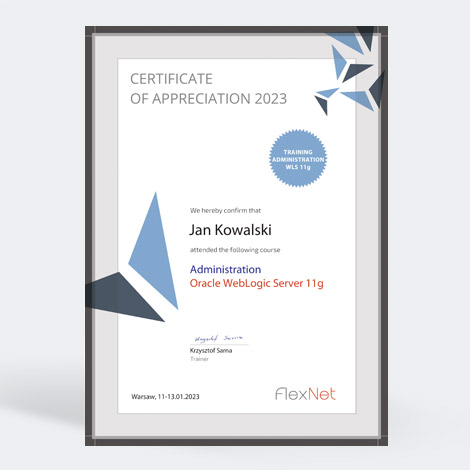
Oracle WebLogic Server 11g

Certificate WLS 11gCertificate WLS 11g
WLS 11g — Administration

Administration

3 days · 24 h
4 740 PLN
Program & details

Install, configure, manage and secure an Oracle WebLogic Server 11g environment — from a single server to a cluster. 40% lecture, 60% hands-on on a prepared Linux environment.

Course program
  • 1. Architecture — WebLogic editions (SE, EE, Suite) and version comparison; Java EE (multi-tier, application schema); JDBC, JNDI, JMS (Queue, Topic), JTA, EJB (Session / Entity / Message Driven Beans); role of application servers; single- and multi-server architecture.
  • 2. Installation — pre-install steps (supported platforms, requirements, target architecture, OS configuration); JDK installation; WLS 11g installation (Graphical and Silent Mode).
  • 3. Domain creation — domain types; installation (Graphical Mode, WLST); verification (Admin / Managed Server); post-install configuration (structure, boot.properties, archiving, Derby); domain templates.
  • 4. Managing servers — Admin Server (start/stop, boot.properties, admin port); Node Manager (role, properties, monitoring, WLST); managed servers (start/stop, states, arguments, Class Path).
  • 5. JDBC configuration — gathering requirements (transactionality, database parameters, firewall, traffic); Data Source; JDBC drivers; Connection Pool; Multi Data Source.
  • 6. JMS configuration — JMS Store, JMS Server, JMS Module, Connection Factory, JMS Bridge; WebLogic JMS tuning.
  • 7. Application deployment — multi-tier applications; archive types (JAR, WAR, EJB, EAR); tools (Admin Console, weblogic.Deployer, WLST, wldeploy Ant); deployment descriptor; location (Stage / Nostage / External stage).
  • 8. Logging configuration — server, domain, Node Manager and application logs; reading logs; Thread Dump; error analysis and diagnostic tools.
  • 9. Realm configuration — authentication; authorization; Security Providers; WLS users and groups.
  • 10. Securing WebLogic — SSL and certificates; self-signed certificate (identity / trust keystore); WLS SSL configuration; attack mitigation (DOS, buffer overflow, incomplete messages, password protection).
  • 11. High availability and scalability — cluster features (HA, scalability, load balancing, failover); WebLogic clustering (communication, JNDI, EJB balancing, reliability); diagnosing performance drops.
Requirements

A computer with 4 GB RAM / 10 GB disk (Windows, macOS or Linux). Basic application-server terminology and terminal skills are a plus.

Included

Live online with a practitioner trainer (Krzysztof Sarna), original training materials, a printed handbook and a personal FlexNet certificate.
Book now →
CURRENT · 9 ND

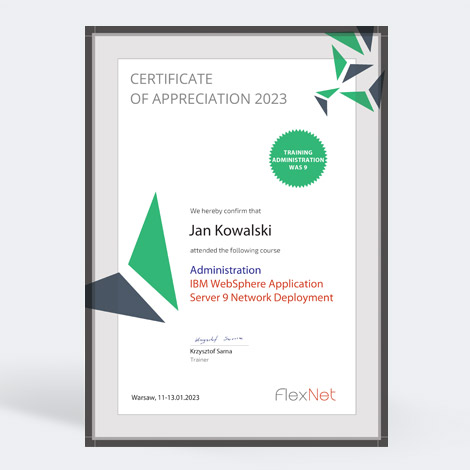
IBM WebSphere Application Server 9

Certificate WAS 9 NDCertificate WAS 9 ND
WAS 9 — Administration

Administration

3 days · 24 h
5 990 PLN
Program & details

Install, configure, manage and secure an IBM WebSphere Application Server 9 environment — from profile to security. Hands-on on a prepared environment.

Course program
  • 1. Architecture — IBM WebSphere Application Server editions (Express, Base, Network Deployment) and version comparison; Java EE (multi-tier, application schema); JDBC, JNDI, JMS (Queue Point-to-Point, Topic Publish/Subscribe), JTA, EJB (session stateful/stateless, entity BMP/CMP, Message Driven Beans); role of application servers; single- and multi-server architecture.
  • 2. Server installation — gathering environment info (JVM 32/64-bit, free space, permissions, File Descriptor, /tmp, platforms, requirements); binary installation (environment variables, GUI/Silent modes, verification, install logs).
  • 3. Profile creation — profile installation and configuration.
  • 4. Managing servers — starting and stopping the server (console, Node, managed servers); what a Node is.
  • 5. Application deployment — multi-tier; application types; tools (admin console, wsadmin, WebSphere Rapid Deployment); deployment descriptor; location (stage, nostage, external stage).
  • 6. JDBC configuration — gathering requirements (XA transactionality, database parameters, firewall, traffic); DataSource; Connection Pool.
  • 7. JMS configuration — Connection Factory / Destination JNDI Name (Queue/Topic); Providers; Connection Factories; Queue / Topic Connection Factories; Queues; Topics.
  • 8. Server and application monitoring — logs (server, profile, Node, application); Thread Dump procedure; error types in logs.
  • 9. Environment configuration and security — authentication; authorization; Security Providers; SSL configuration; users and groups; attack mitigation.
Requirements

A computer with 4 GB RAM / 10 GB disk (Windows, macOS or Linux). Basic application-server terminology and terminal skills are a plus.

Included

Live online with a practitioner trainer (Krzysztof Sarna), original training materials, a printed handbook and a personal FlexNet certificate.

Book now →
WAS 9 — Administration JMS

Administration JMS

3 days · 24 h
4 740 PLN
Outline and details

Configuring and programming Java Message Service on IBM WebSphere Application Server 9: service integration bus, queues, topics, transactions and integrations. Hands-on lab environment.

Course outline
  • 1. Introduction to JMS — what JMS is and why it matters; point-to-point (queue) and publish/subscribe (topic) models; core concepts and terminology.
  • 2. Service integration bus — what the SIBus is; bus members and messaging engines; message store (file store vs data store); bus topologies in an ND cell.
  • 3. JMS provider configuration — default messaging provider; queue and topic connection factories; bus destinations and their JMS mappings; JNDI.
  • 4. WebSphere MQ integration — MQ link and MQ client as a JMS provider; when to use the bus and when MQ; interoperability pitfalls.
  • 5. Programming JMS applications — sending and receiving messages; transactions and acknowledge modes; message driven beans and activation specifications.
  • 6. Reliability and delivery — reliability levels; persistent and non-persistent messages; exception destinations; retry and poison messages.
  • 7. Administration and diagnostics — monitoring queues and messaging engines; wsadmin (Jython), konsola administracyjna; browsing and deleting messages; common failures in the logs.
  • 8. Performance and tuning — listener pool and thread sizing; batching; message store tuning; scaling the bus and its throughput impact.
Requirements

A machine with 4 GB RAM / 10 GB disk (Windows, macOS or Linux). Basic application server terminology and terminal skills are a plus.

Included

Live online with a practising engineer (Krzysztof Sarna), proprietary materials, a printed handbook and a personal FlexNet certificate.

Book now →
WAS 9 — Diagnostyka

Diagnostics and troubleshooting

3 days · 24 h
4 740 PLN
Outline and details

Diagnosing and troubleshooting IBM WebSphere Application Server 9: logs and FFDC through JVM, JDBC, clusters and security. Hands-on work on real failure scenarios.

Course outline
  • 1. Problem determination method — isolating the layer (network, plug-in, container, application, database); collecting evidence before restarting; assembling a MustGather for IBM support.
  • 2. Logs and traces — HPEL (binarny log + logViewer) i klasyczny SystemOut/SystemErr; trace levels and groups; enabling trace without a restart; rotation and retention.
  • 3. FFDC — first failure data capture: where it lives, how to read it, what a repeating incident means; correlating FFDC with application exceptions.
  • 4. JVM diagnostics — javacore and thread dumps: reading thread states and deadlocks; heapdumps and memory leak analysis; GC logs and pause interpretation.
  • 5. Server and profile problems — server will not start: port conflicts, permissions, corrupted config repository; node agent synchronisation with the deployment manager.
  • 6. Application problems — deployment and class loader issues (order, isolation, library conflicts); hung requests; ClassNotFound and NoClassDefFound in practice.
  • 7. JDBC and transaction problems — connection pool exhaustion; StaleConnectionException; timeouts and XA transactions; heuristics and transaction logs.
  • 8. ND environment problems — clustering and session replication; plug-in and request routing; Liberty jako alternatywa dla profilu pelnego; failover and asymmetric node symptoms.
  • 9. Security problems — LTPA and expired tokens; SSL certificates, keystores and truststores; LDAP integration and common authentication failures.
Requirements

A machine with 4 GB RAM / 10 GB disk (Windows, macOS or Linux). Basic application server terminology and terminal skills are a plus.

Included

Live online with a practising engineer (Krzysztof Sarna), proprietary materials, a printed handbook and a personal FlexNet certificate.

Book now →
WAS 9 — Tuning

Monitoring and tuning

3 days · 24 h
4 740 PLN
Outline and details

Monitoring and performance tuning for IBM WebSphere Application Server 9: PMI, thread pools, JVM, JDBC and the HTTP layer. Built on measurement, not guesswork.

Course outline
  • 1. Tuning method — measure before changing; one variable at a time; baselines and acceptance criteria; why copying someone else settings backfires.
  • 2. PMI — performance monitoring infrastructure: collection levels, the cost of enabling them, choosing counters that match the problem.
  • 3. Tivoli Performance Viewer — reading counters live; recording sessions for offline analysis; spotting bottlenecks.
  • 4. Request metrics — tracing a request across layers; identifying the component responsible for latency; filtering the traffic you measure.
  • 5. JVM tuning — heap sizing and GC policy; GC log analysis; the pause versus throughput trade-off; production load settings.
  • 6. Thread pools — web container, ORB and default pools; minimum and maximum sizes; symptoms of over- and under-sizing.
  • 7. JDBC connection pools — pool size relative to thread pools; connection, unused and aged timeouts; prepared statement cache.
  • 8. Sessions and caching — session management and its cost; session replication in a cluster; DynaCache and response caching.
  • 9. HTTP layer — web server plug-in and IHS: keep-alive, connection counts, load balancing; Liberty jako alternatywa dla profilu pelnego.
  • 10. Load testing — designing the scenario; interpreting results; telling an application problem from a server problem.
Requirements

A machine with 4 GB RAM / 10 GB disk (Windows, macOS or Linux). Basic application server terminology and terminal skills are a plus.

Included

Live online with a practising engineer (Krzysztof Sarna), proprietary materials, a printed handbook and a personal FlexNet certificate.
Book now →
PRODUCTION · 8.5 ND

IBM WebSphere Application Server 8.5

Certificate WAS 8 NDCertificate WAS 8 ND
WAS 8 — Administration

Administration

3 days · 24 h
4 990 PLN
Program & details

Install, configure, manage and secure an IBM WebSphere Application Server 8.5 environment — from profile to security. Hands-on on a prepared environment.

Course program
  • 1. Architecture — IBM WebSphere Application Server editions (Express, Base, Network Deployment) and version comparison; Java EE (multi-tier, application schema); JDBC, JNDI, JMS (Queue Point-to-Point, Topic Publish/Subscribe), JTA, EJB (session stateful/stateless, entity BMP/CMP, Message Driven Beans); role of application servers; single- and multi-server architecture.
  • 2. Server installation — gathering environment info (JVM 32/64-bit, free space, permissions, File Descriptor, /tmp, platforms, requirements); binary installation (environment variables, GUI/Silent modes, verification, install logs).
  • 3. Profile creation — profile installation and configuration.
  • 4. Managing servers — starting and stopping the server (console, Node, managed servers); what a Node is.
  • 5. Application deployment — multi-tier; application types; tools (admin console, wsadmin, WebSphere Rapid Deployment); deployment descriptor; location (stage, nostage, external stage).
  • 6. JDBC configuration — gathering requirements (XA transactionality, database parameters, firewall, traffic); DataSource; Connection Pool.
  • 7. JMS configuration — Connection Factory / Destination JNDI Name (Queue/Topic); Providers; Connection Factories; Queue / Topic Connection Factories; Queues; Topics.
  • 8. Server and application monitoring — logs (server, profile, Node, application); Thread Dump procedure; error types in logs.
  • 9. Environment configuration and security — authentication; authorization; Security Providers; SSL configuration; users and groups; attack mitigation.
Requirements

A computer with 4 GB RAM / 10 GB disk (Windows, macOS or Linux). Basic application-server terminology and terminal skills are a plus.

Included

Live online with a practitioner trainer (Krzysztof Sarna), original training materials, a printed handbook and a personal FlexNet certificate.

Book now →
WAS 8 — Administration JMS

Administration JMS

3 days · 24 h
4 740 PLN
Outline and details

Configuring and programming Java Message Service on IBM WebSphere Application Server 8.5: service integration bus, queues, topics, transactions and integrations. Hands-on lab environment.

Course outline
  • 1. Introduction to JMS — what JMS is and why it matters; point-to-point (queue) and publish/subscribe (topic) models; core concepts and terminology.
  • 2. Service integration bus — what the SIBus is; bus members and messaging engines; message store (file store vs data store); bus topologies in an ND cell.
  • 3. JMS provider configuration — default messaging provider; queue and topic connection factories; bus destinations and their JMS mappings; JNDI.
  • 4. WebSphere MQ integration — MQ link and MQ client as a JMS provider; when to use the bus and when MQ; interoperability pitfalls.
  • 5. Programming JMS applications — sending and receiving messages; transactions and acknowledge modes; message driven beans and activation specifications.
  • 6. Reliability and delivery — reliability levels; persistent and non-persistent messages; exception destinations; retry and poison messages.
  • 7. Administration and diagnostics — monitoring queues and messaging engines; wsadmin (Jython/Jacl), konsola administracyjna; browsing and deleting messages; common failures in the logs.
  • 8. Performance and tuning — listener pool and thread sizing; batching; message store tuning; scaling the bus and its throughput impact.
Requirements

A machine with 4 GB RAM / 10 GB disk (Windows, macOS or Linux). Basic application server terminology and terminal skills are a plus.

Included

Live online with a practising engineer (Krzysztof Sarna), proprietary materials, a printed handbook and a personal FlexNet certificate.

Book now →
WAS 8 — Diagnostyka

Diagnostics and troubleshooting

3 days · 24 h
4 740 PLN
Outline and details

Diagnosing and troubleshooting IBM WebSphere Application Server 8.5: logs and FFDC through JVM, JDBC, clusters and security. Hands-on work on real failure scenarios.

Course outline
  • 1. Problem determination method — isolating the layer (network, plug-in, container, application, database); collecting evidence before restarting; assembling a MustGather for IBM support.
  • 2. Logs and traces — HPEL (binarny log + logViewer) i klasyczny SystemOut/SystemErr; trace levels and groups; enabling trace without a restart; rotation and retention.
  • 3. FFDC — first failure data capture: where it lives, how to read it, what a repeating incident means; correlating FFDC with application exceptions.
  • 4. JVM diagnostics — javacore and thread dumps: reading thread states and deadlocks; heapdumps and memory leak analysis; GC logs and pause interpretation.
  • 5. Server and profile problems — server will not start: port conflicts, permissions, corrupted config repository; node agent synchronisation with the deployment manager.
  • 6. Application problems — deployment and class loader issues (order, isolation, library conflicts); hung requests; ClassNotFound and NoClassDefFound in practice.
  • 7. JDBC and transaction problems — connection pool exhaustion; StaleConnectionException; timeouts and XA transactions; heuristics and transaction logs.
  • 8. ND environment problems — clustering and session replication; plug-in and request routing; Intelligent Management i health policies; failover and asymmetric node symptoms.
  • 9. Security problems — LTPA and expired tokens; SSL certificates, keystores and truststores; LDAP integration and common authentication failures.
Requirements

A machine with 4 GB RAM / 10 GB disk (Windows, macOS or Linux). Basic application server terminology and terminal skills are a plus.

Included

Live online with a practising engineer (Krzysztof Sarna), proprietary materials, a printed handbook and a personal FlexNet certificate.

Book now →
WAS 8 — Tuning

Monitoring and tuning

3 days · 24 h
4 740 PLN
Outline and details

Monitoring and performance tuning for IBM WebSphere Application Server 8.5: PMI, thread pools, JVM, JDBC and the HTTP layer. Built on measurement, not guesswork.

Course outline
  • 1. Tuning method — measure before changing; one variable at a time; baselines and acceptance criteria; why copying someone else settings backfires.
  • 2. PMI — performance monitoring infrastructure: collection levels, the cost of enabling them, choosing counters that match the problem.
  • 3. Tivoli Performance Viewer — reading counters live; recording sessions for offline analysis; spotting bottlenecks.
  • 4. Request metrics — tracing a request across layers; identifying the component responsible for latency; filtering the traffic you measure.
  • 5. JVM tuning — heap sizing and GC policy; GC log analysis; the pause versus throughput trade-off; production load settings.
  • 6. Thread pools — web container, ORB and default pools; minimum and maximum sizes; symptoms of over- and under-sizing.
  • 7. JDBC connection pools — pool size relative to thread pools; connection, unused and aged timeouts; prepared statement cache.
  • 8. Sessions and caching — session management and its cost; session replication in a cluster; DynaCache and response caching.
  • 9. HTTP layer — web server plug-in and IHS: keep-alive, connection counts, load balancing; Intelligent Management i health policies.
  • 10. Load testing — designing the scenario; interpreting results; telling an application problem from a server problem.
Requirements

A machine with 4 GB RAM / 10 GB disk (Windows, macOS or Linux). Basic application server terminology and terminal skills are a plus.

Included

Live online with a practising engineer (Krzysztof Sarna), proprietary materials, a printed handbook and a personal FlexNet certificate.
Book now →
LEGACY · 7 ND

IBM WebSphere Application Server 7

Certificate WAS 7 NDCertificate WAS 7 ND
WAS 7 — Administration

Administration

3 days · 24 h
4 740 PLN
Program & details

Install, configure, manage and secure an IBM WebSphere Application Server 7 environment — from profile to security. Hands-on on a prepared environment.

Course program
  • 1. Architecture — IBM WebSphere Application Server editions (Express, Base, Network Deployment) and version comparison; Java EE (multi-tier, application schema); JDBC, JNDI, JMS (Queue Point-to-Point, Topic Publish/Subscribe), JTA, EJB (session stateful/stateless, entity BMP/CMP, Message Driven Beans); role of application servers; single- and multi-server architecture.
  • 2. Server installation — gathering environment info (JVM 32/64-bit, free space, permissions, File Descriptor, /tmp, platforms, requirements); binary installation (environment variables, GUI/Silent modes, verification, install logs).
  • 3. Profile creation — profile installation and configuration.
  • 4. Managing servers — starting and stopping the server (console, Node, managed servers); what a Node is.
  • 5. Application deployment — multi-tier; application types; tools (admin console, wsadmin, WebSphere Rapid Deployment); deployment descriptor; location (stage, nostage, external stage).
  • 6. JDBC configuration — gathering requirements (XA transactionality, database parameters, firewall, traffic); DataSource; Connection Pool.
  • 7. JMS configuration — Connection Factory / Destination JNDI Name (Queue/Topic); Providers; Connection Factories; Queue / Topic Connection Factories; Queues; Topics.
  • 8. Server and application monitoring — logs (server, profile, Node, application); Thread Dump procedure; error types in logs.
  • 9. Environment configuration and security — authentication; authorization; Security Providers; SSL configuration; users and groups; attack mitigation.
Requirements

A computer with 4 GB RAM / 10 GB disk (Windows, macOS or Linux). Basic application-server terminology and terminal skills are a plus.

Included

Live online with a practitioner trainer (Krzysztof Sarna), original training materials, a printed handbook and a personal FlexNet certificate.

Book now →
WAS 7 — Administration JMS

Administration JMS

3 days · 24 h
4 740 PLN
Outline and details

Configuring and programming Java Message Service on IBM WebSphere Application Server 7: service integration bus, queues, topics, transactions and integrations. Hands-on lab environment.

Course outline
  • 1. Introduction to JMS — what JMS is and why it matters; point-to-point (queue) and publish/subscribe (topic) models; core concepts and terminology.
  • 2. Service integration bus — what the SIBus is; bus members and messaging engines; message store (file store vs data store); bus topologies in an ND cell.
  • 3. JMS provider configuration — default messaging provider; queue and topic connection factories; bus destinations and their JMS mappings; JNDI.
  • 4. WebSphere MQ integration — MQ link and MQ client as a JMS provider; when to use the bus and when MQ; interoperability pitfalls.
  • 5. Programming JMS applications — sending and receiving messages; transactions and acknowledge modes; message driven beans and activation specifications.
  • 6. Reliability and delivery — reliability levels; persistent and non-persistent messages; exception destinations; retry and poison messages.
  • 7. Administration and diagnostics — monitoring queues and messaging engines; wsadmin (Jacl/Jython), konsola administracyjna; browsing and deleting messages; common failures in the logs.
  • 8. Performance and tuning — listener pool and thread sizing; batching; message store tuning; scaling the bus and its throughput impact.
Requirements

A machine with 4 GB RAM / 10 GB disk (Windows, macOS or Linux). Basic application server terminology and terminal skills are a plus.

Included

Live online with a practising engineer (Krzysztof Sarna), proprietary materials, a printed handbook and a personal FlexNet certificate.

Book now →
WAS 7 — Diagnostyka

Diagnostics and troubleshooting

3 days · 24 h
4 740 PLN
Outline and details

Diagnosing and troubleshooting IBM WebSphere Application Server 7: logs and FFDC through JVM, JDBC, clusters and security. Hands-on work on real failure scenarios.

Course outline
  • 1. Problem determination method — isolating the layer (network, plug-in, container, application, database); collecting evidence before restarting; assembling a MustGather for IBM support.
  • 2. Logs and traces — SystemOut.log, SystemErr.log i trace.log (HPEL dopiero od 8.0); trace levels and groups; enabling trace without a restart; rotation and retention.
  • 3. FFDC — first failure data capture: where it lives, how to read it, what a repeating incident means; correlating FFDC with application exceptions.
  • 4. JVM diagnostics — javacore and thread dumps: reading thread states and deadlocks; heapdumps and memory leak analysis; GC logs and pause interpretation.
  • 5. Server and profile problems — server will not start: port conflicts, permissions, corrupted config repository; node agent synchronisation with the deployment manager.
  • 6. Application problems — deployment and class loader issues (order, isolation, library conflicts); hung requests; ClassNotFound and NoClassDefFound in practice.
  • 7. JDBC and transaction problems — connection pool exhaustion; StaleConnectionException; timeouts and XA transactions; heuristics and transaction logs.
  • 8. ND environment problems — clustering and session replication; plug-in and request routing; Web server plug-in i IHS jako front; failover and asymmetric node symptoms.
  • 9. Security problems — LTPA and expired tokens; SSL certificates, keystores and truststores; LDAP integration and common authentication failures.
Requirements

A machine with 4 GB RAM / 10 GB disk (Windows, macOS or Linux). Basic application server terminology and terminal skills are a plus.

Included

Live online with a practising engineer (Krzysztof Sarna), proprietary materials, a printed handbook and a personal FlexNet certificate.

Book now →
WAS 7 — Tuning

Monitoring and tuning

3 days · 24 h
4 740 PLN
Outline and details

Monitoring and performance tuning for IBM WebSphere Application Server 7: PMI, thread pools, JVM, JDBC and the HTTP layer. Built on measurement, not guesswork.

Course outline
  • 1. Tuning method — measure before changing; one variable at a time; baselines and acceptance criteria; why copying someone else settings backfires.
  • 2. PMI — performance monitoring infrastructure: collection levels, the cost of enabling them, choosing counters that match the problem.
  • 3. Tivoli Performance Viewer — reading counters live; recording sessions for offline analysis; spotting bottlenecks.
  • 4. Request metrics — tracing a request across layers; identifying the component responsible for latency; filtering the traffic you measure.
  • 5. JVM tuning — heap sizing and GC policy; GC log analysis; the pause versus throughput trade-off; production load settings.
  • 6. Thread pools — web container, ORB and default pools; minimum and maximum sizes; symptoms of over- and under-sizing.
  • 7. JDBC connection pools — pool size relative to thread pools; connection, unused and aged timeouts; prepared statement cache.
  • 8. Sessions and caching — session management and its cost; session replication in a cluster; DynaCache and response caching.
  • 9. HTTP layer — web server plug-in and IHS: keep-alive, connection counts, load balancing; Web server plug-in i IHS jako front.
  • 10. Load testing — designing the scenario; interpreting results; telling an application problem from a server problem.
Requirements

A machine with 4 GB RAM / 10 GB disk (Windows, macOS or Linux). Basic application server terminology and terminal skills are a plus.

Included

Live online with a practising engineer (Krzysztof Sarna), proprietary materials, a printed handbook and a personal FlexNet certificate.

Book now →
05 / Format & certificate

How we deliver the training

  • 01

    Live online

    Workshop with a trainer and interaction, on a prepared remote environment.

  • 02

    On-site

    Trainer on location, exercises on the team's hardware and configuration.

  • 03

    Closed training

    Agenda tailored to your environment, for the whole operations team.

TALK TO AN ENGINEER

Consultation, audit, support

Tell us what you're facing. Your choices in the form build a brief — exactly what the engineer who replies will see.

How we work Audit, project, 24/7 care
Hours Mon–Fri 9–17 · outages 24/7 for clients on contract
  • we take over systems from other vendors
  • we support older WebLogic and WebSphere
  • urgent issue? quick diagnosis first

Tell us about it

01 I'm interested in…
02 Type of engagement…
03 Ballpark budget (PLN)…
04 Timeline…
05 Contact details…
PDF, DOC, TXT, JPG/PNG · max 5 MB
An engineer replies Not a salesperson, not a call centre — someone who understands your infrastructure.
A clear next step The first reply includes an initial scope and rough estimate.
Confidentiality & NDA on request Your environment details stay between us. We sign an NDA before the call if you need it.

Your data is safe. It will be used only to handle your request. More info in our privacy policy.